
On this page 10 sections
- Before the design, look at what happens at reception
- What should guests see on your room pages?
- Should your hotel website take bookings or availability requests?
- Explain what the guest will pay for
- “I have paid. Is my room confirmed?”
- WhatsApp can help, provided someone owns the conversation
- Help guests find the property
- Try booking on your phone before you approve the website
- How do you bring guests to the website?
- What to prepare before speaking to a hotel website developer
You have good rooms. You have put money into the reception, the beds and the facilities. Then someone opens your hotel website and still has to call to ask what the rooms look like or whether breakfast is included.
That is a useful place to start when planning the website. What does a guest need to know before they are comfortable booking with you?
For some, it is the bathroom. For others, it is parking, reliable power or whether they can check in after a late flight. Beautiful photographs help, of course. But the guest also needs answers.
A hotel website should show the property accurately, explain the rooms and booking terms, and give guests a clear way to reserve a stay. The reservation then needs to reach the people who will receive them when they arrive.
Before the design, look at what happens at reception
Imagine that reception sells your last available standard room to a walk-in guest. A few minutes later, someone pays for the same room through your website.
How would your team prevent that?
Discuss this with your developer before choosing a booking feature. Explain where reservations currently come from and how you record them. Include phone calls, WhatsApp enquiries and bookings from other platforms.
If your team checks availability manually, your first website can collect reservation requests for reception to confirm. If you already use hotel reservation software, find out whether it can connect to the website. You may be able to build on what you have.
Ask the developer what your staff will need to update, which connections have been confirmed and whether additional subscriptions are involved. These decisions affect how the website will work every day.
What should guests see on your room pages?
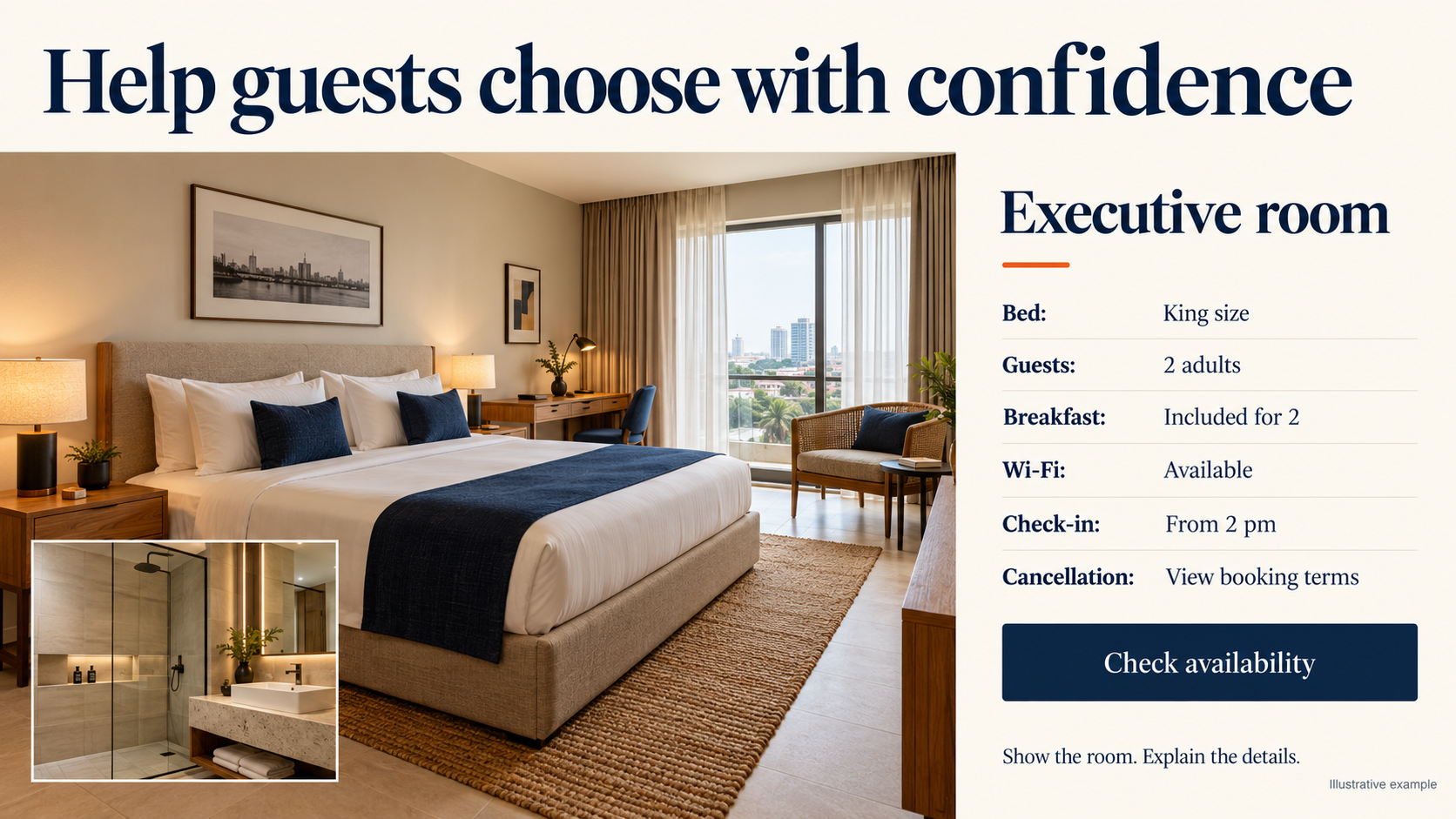
“Executive room” sounds fine, but what makes it different from your standard room?
Show the difference. Use photographs of each actual room type, including the bathroom, and explain the bed arrangement and number of guests allowed. If a room has a separate sitting area, show it. If extra beds are available only on request, say so.
A guest travelling for work may want to see the desk and know about Wi-Fi. A family needs to understand whether the children can share the room and whether breakfast covers everyone. Those details are more helpful than describing every room as luxurious.
Power supply deserves an accurate explanation too. State the backup arrangements you provide and any relevant limitations. The same applies to parking, stairs and access to facilities.
Your photographs should help someone recognise the room when they arrive. Improve the lighting when you take them, but avoid editing out something a paying guest will immediately notice.
Should your hotel website take bookings or availability requests?
It can do either. Choose the option your team can manage reliably, then label it clearly.
When reception needs to confirm first
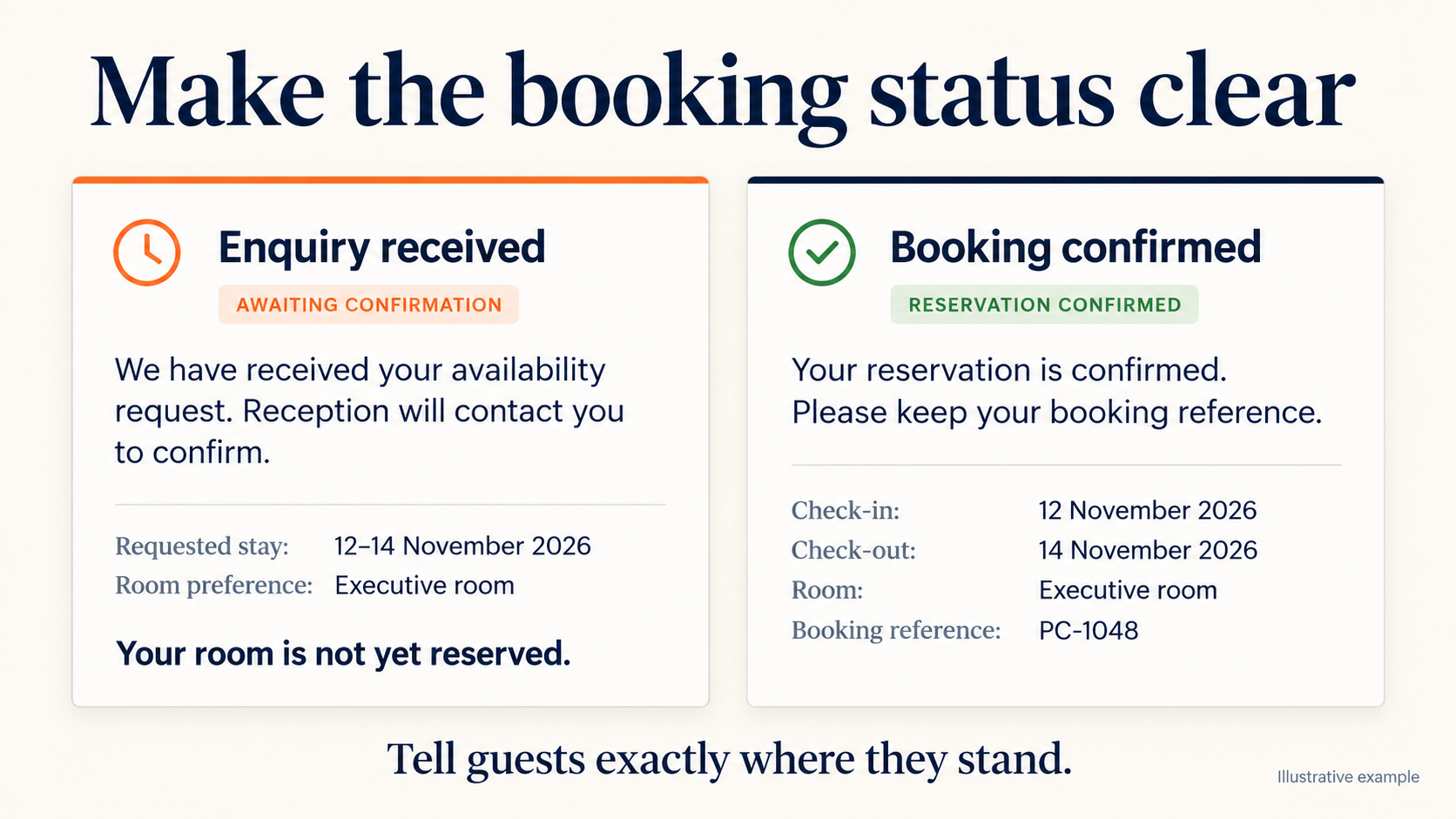
Use wording such as “Ask about availability.” Collect the arrival and departure dates, number of guests, preferred room type and contact details. After submission, tell the guest that you have received the request and reception will confirm availability.
At this stage, they have made an enquiry. Do not send a booking confirmation before a room has been accepted and recorded.
When guests can reserve immediately
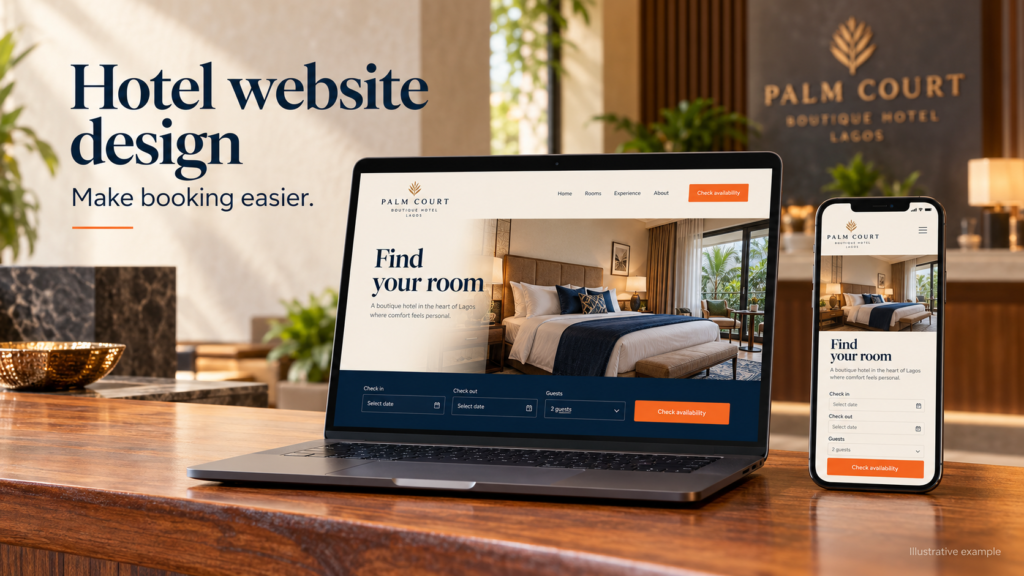
You need a booking engine with dependable room availability and rates. It should record the reservation and give the guest confirmation. If you also sell rooms through other platforms, explain to the developer how those bookings are currently managed.
The booking engine handles the reservation on your website. A channel manager helps update rates and availability across connected sales channels. SiteMinder explains how these tools fit into a hotel reservation system.
Ask for a demonstration using your proposed setup. Follow what happens when the last room is booked, when a guest cancels and when staff change a rate.
Explain what the guest will pay for
If someone selects two nights, they should be able to establish the cost of those two nights before making payment. Make it clear whether a displayed rate is per room, per night or for the entire stay.
Explain breakfast, taxes, service charges and any other applicable charges. Where rates change by date, the amount shown should reflect the selected dates or clearly explain when the final rate will be confirmed.
Put your cancellation and deposit terms where the guest can read them before committing. Include when the balance is due, what happens if they do not arrive, and the check-in and check-out times.
Think about the person booking for someone else as well. An office administrator arranging accommodation for a colleague may need an invoice and written confirmation to send for approval. Make the contact route for that request easy to find.
“I have paid. Is my room confirmed?”
Your payment and reservation process should give the guest a clear answer.
Decide when a room is held and what makes the reservation confirmed. If a payment attempt fails or is abandoned, your team needs to know what happens to that room.
For bank transfers, check receipt in your payment records. A screenshot sent over WhatsApp should not be the only basis for marking the booking as paid.
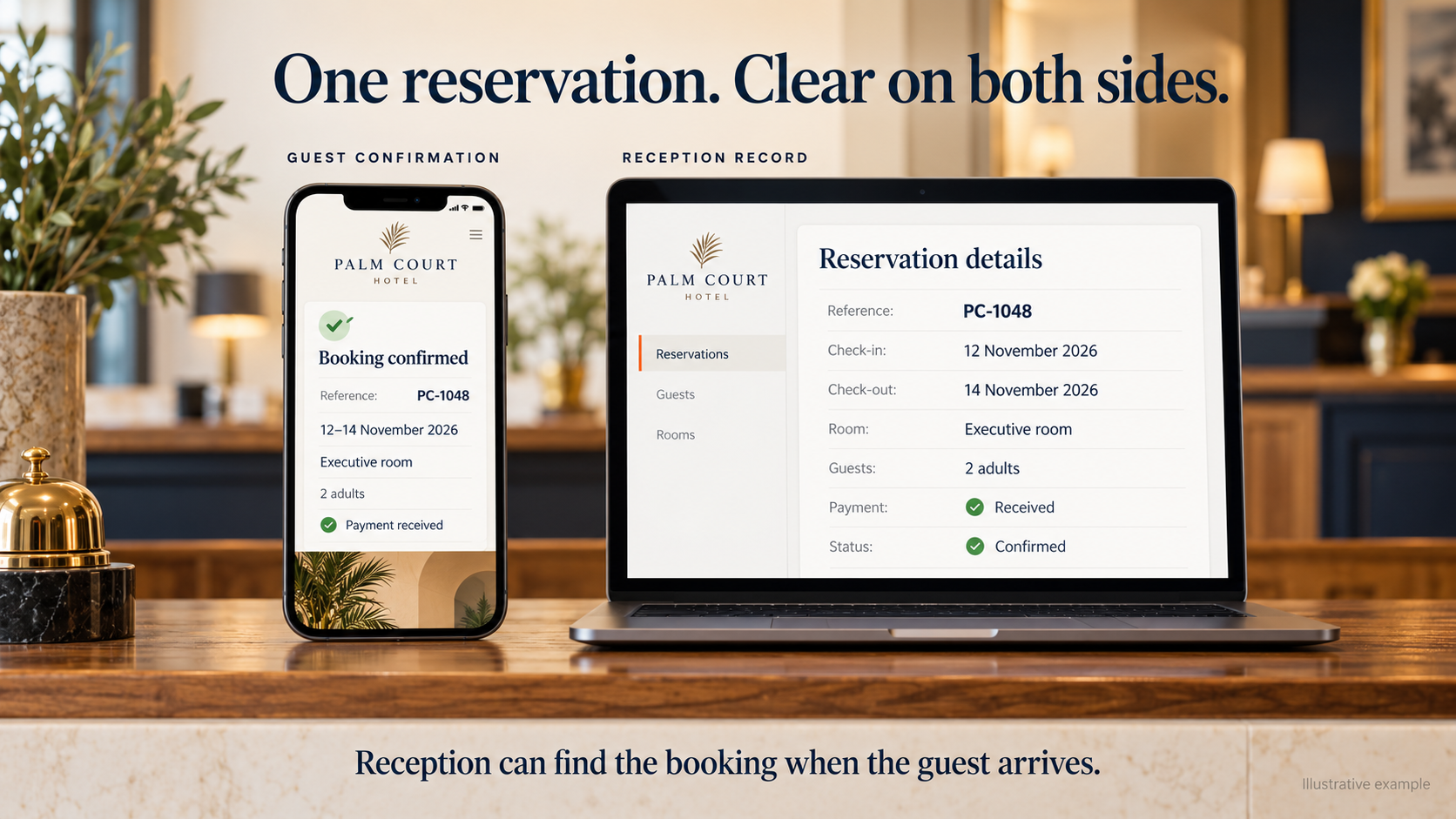
Once confirmed, give the guest a reference they can use when contacting reception. Their confirmation should show the hotel, dates, room type and relevant payment or balance details, along with a way to ask questions or request changes.
Before launch, test a dropped connection after payment. Test a failed payment too. Can reception locate the record and explain the status without asking the guest to repeat the booking?
WhatsApp can help, provided someone owns the conversation
You do not have to remove WhatsApp because the website has a booking form. A guest may still want to discuss an early arrival, a group stay or a special request before paying.
Make the conversation easier to pick up. A button on a room page can open a message naming that room type. Where dates have already been entered, agree on how those details will reach your team.
Then consider the change of shift. If the evening receptionist confirms a reservation, where will the morning receptionist find it? Record confirmed bookings somewhere the responsible staff can access. Leaving the details in one person’s chat history can create unnecessary confusion.
Help guests find the property
Give the full address and check that your map pin points to the correct entrance. Add a useful landmark or arrival instruction where needed.
Be careful with travel times. A fixed “ten minutes from the airport” promise can be misleading when traffic changes the journey. Describe the location accurately and explain any late-arrival arrangements.
If your hotel also hosts events, give organisers information about the spaces and a separate way to enquire. They may need capacity, seating layouts, equipment and catering details before discussing accommodation.
Try booking on your phone before you approve the website
Start on a room page and go through the whole process. Look at the photographs, choose dates, enter your details and check the confirmation. Try correcting a mistake along the way.
If the booking screen opens on another website, continue there. Guests need to understand that they are still booking with your hotel, and the screen must be comfortable to use on a phone.
Check the small things: readable field labels, buttons you can tap easily and photographs that load without an excessive wait. A floating WhatsApp button should not cover the date picker or payment button.
How do you bring guests to the website?
Start with the information you already control. Keep your hotel’s name, address and contact details consistent across your website and business listings. Link visitors to useful room pages instead of making everyone search from the homepage.
Local articles can help answer questions around a stay. For example, you could explain how to reach a nearby event venue from your property, provided the directions are accurate and useful. Give people information they would otherwise need to call reception for.
Google also offers free hotel booking links. Its Hotel Center guidance explains the available routes to participation. Ask your reservation provider whether it supports the necessary connection and what setup is required.
As enquiries come in, record which ones become confirmed reservations and completed stays. A click on WhatsApp tells you someone opened a conversation. It does not tell you whether they booked.
Direct bookings also have costs, including payment processing, booking software, advertising and staff time. Account for those when assessing what the website brings into the business.
What to prepare before speaking to a hotel website developer
Bring your room details and photographs, booking terms, and the names of any reservation systems you use. Ask reception which questions they answer repeatedly and where reservations tend to become difficult.
That gives you a practical starting point for the website brief. Agree on what the first version will do, who will receive enquiries and who will update rates and room information after launch.
You may begin with room pages and a well-managed availability form. You may need a connected booking engine from the start. Work through that decision with the people who will manage the reservations.
If you would like Qrafteq to help, tell us about your hotel and how you take bookings today. We can discuss the website your team needs to support that work.